My Role
Product Designer & Frontend Engineer
(UX, UI, Interaction, Frontend)
Product
AI-Powered HR Recruitment Platform
Platform
Web Dashboard
Introduction
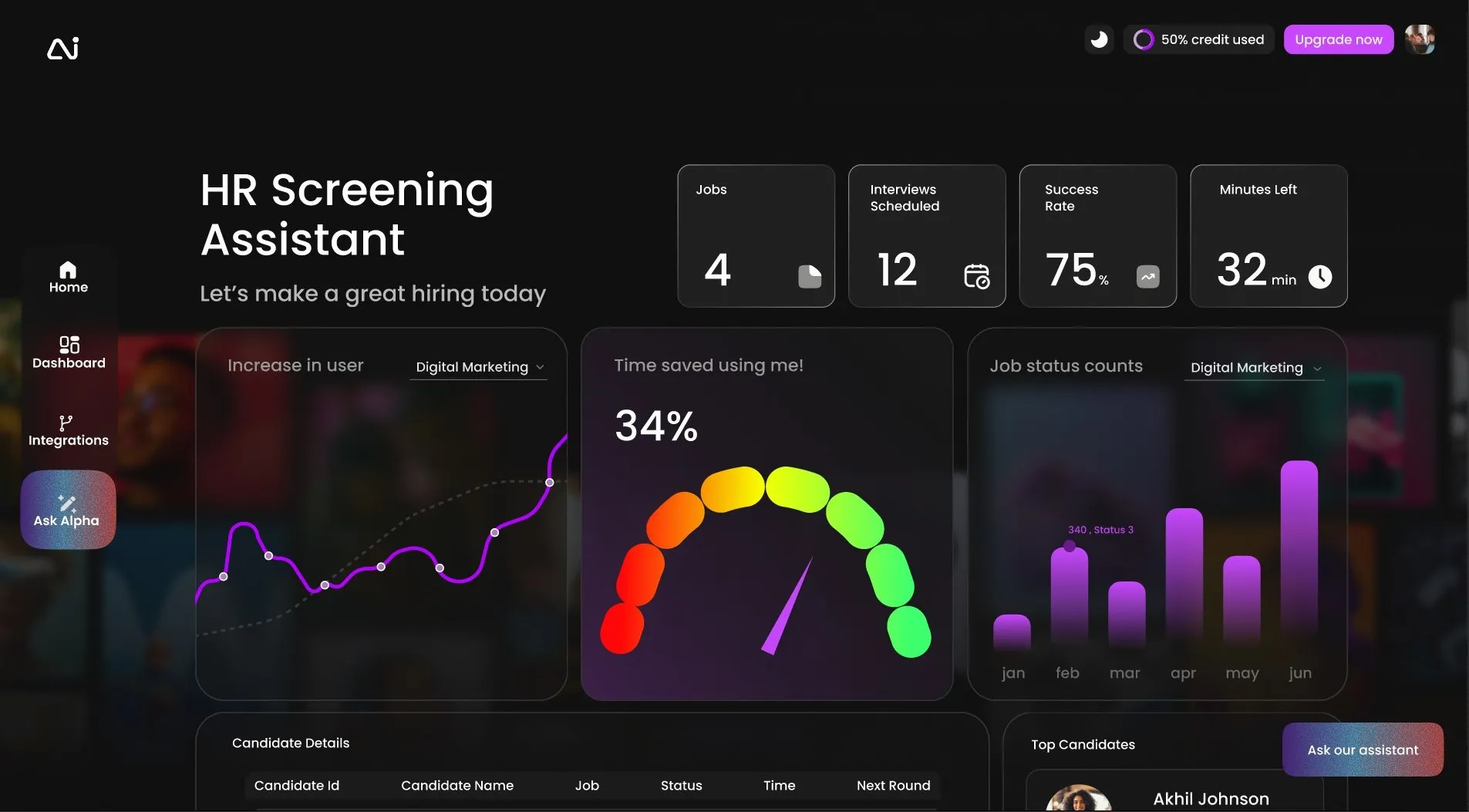
As you know, I was redesigning the HR Recruitment Assistant Dashboard, a platform that helps hiring teams manage candidates, automate recruitment workflows, and make faster, better hiring decisions.
In the latest update, we also introduced an AI Chat Assistant—giving recruiters a conversational way to query candidate data, generate summaries, and get instant hiring insights without navigating complex screens.
As the product evolved, the dashboard needed to support growing complexity: more candidates, more workflows, and now multiple AI-driven assistants. The goal of this redesign was to create a clear, scalable, and intuitive dashboard that allows users to understand, control, and trust AI-powered recruitment tools.
The Problem
After evaluating usage patterns and internal feedback, detailed issues emerged regarding cognitive load and unclear mental models.
Recruiters were presented with too much information at once—candidate lists, pipeline stages, metrics, and automations—making it difficult to know what required attention.
Users struggled to understand how different AI features worked together. What does the recruitment assistant handle? When should they use the AI Chat Assistant?
As features were added rapidly, components behaved differently across screens. This inconsistency increased learning time and reduced confidence.
The existing layout wasn’t designed for multiple AI tools or advanced analytics. Adding the AI Chat Assistant risked further clutter without a rethink.
Goals
Business Goals
- Support growth as an AI-driven recruitment platform
- Increase adoption of AI-assisted hiring features
- Create a dashboard that scales with future AI capabilities
User Goals
- Quickly understand hiring pipeline health
- Manage candidates and workflows efficiently
- Confidently interact with AI assistants for recruitment tasks
Understanding the Users
Instead of traditional personas, I focused on usage-driven roles to guide the dashboard structure.
The Recruiter
Manages candidates, interviews, and shortlisting on a daily basis.
The Hiring Manager
Wants high-level visibility into hiring progress and bottlenecks.
The Technical / Ops User
Cares about integrations, automation logic, and system reliability.
Process
Defining Structure
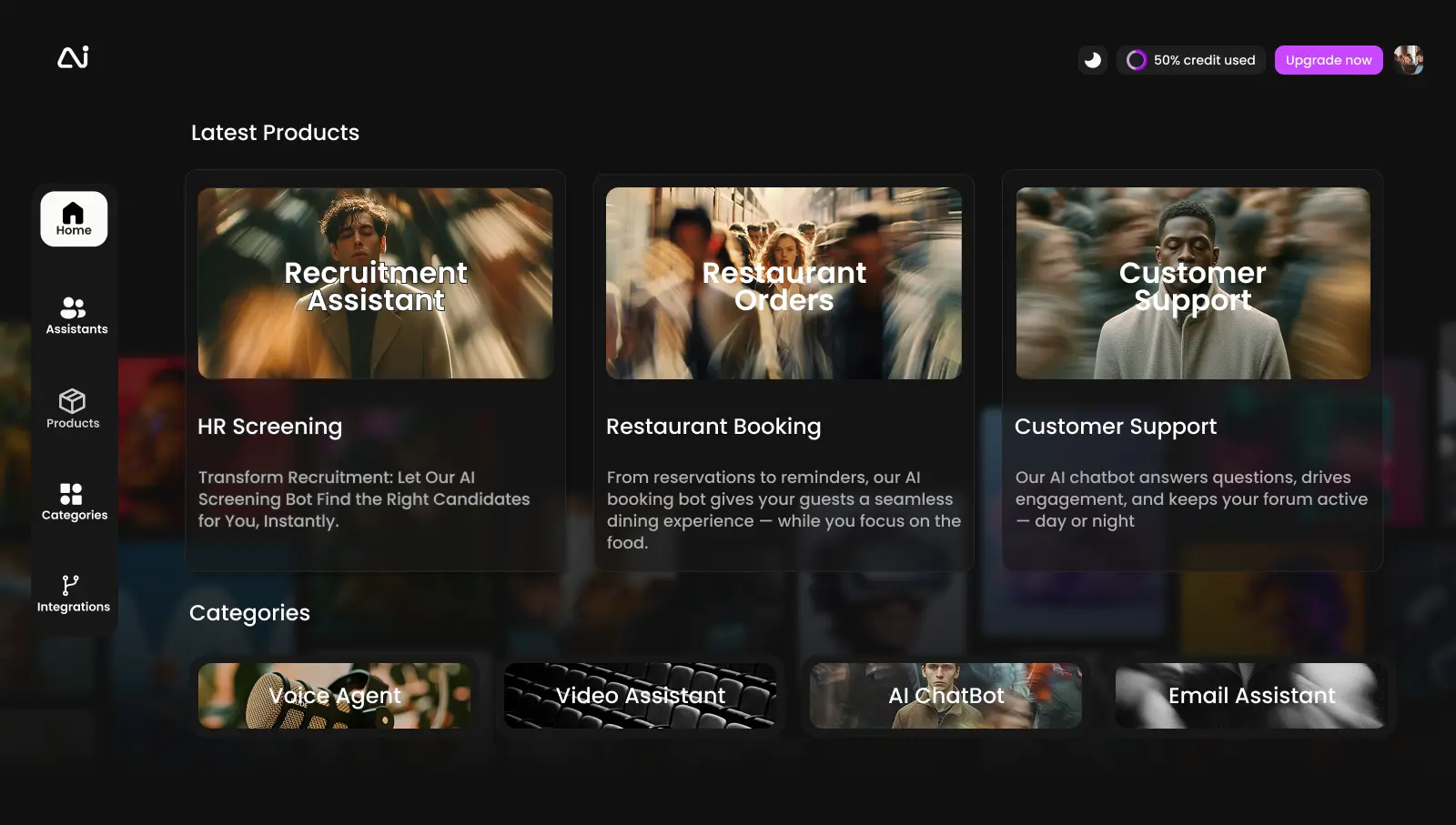
I redefined the dashboard hierarchy so each section serves a single purpose: Overview (pipeline health), Candidates (profiles/evaluations), Automation (workflows), AI Assistants, and Insights.
Task Mapping
Core workflows such as reviewing candidates, shortlisting, and asking AI for insights were mapped into focused, linear flows. The AI Chat Assistant complements—doesn't replace—existing workflows.
Visual System
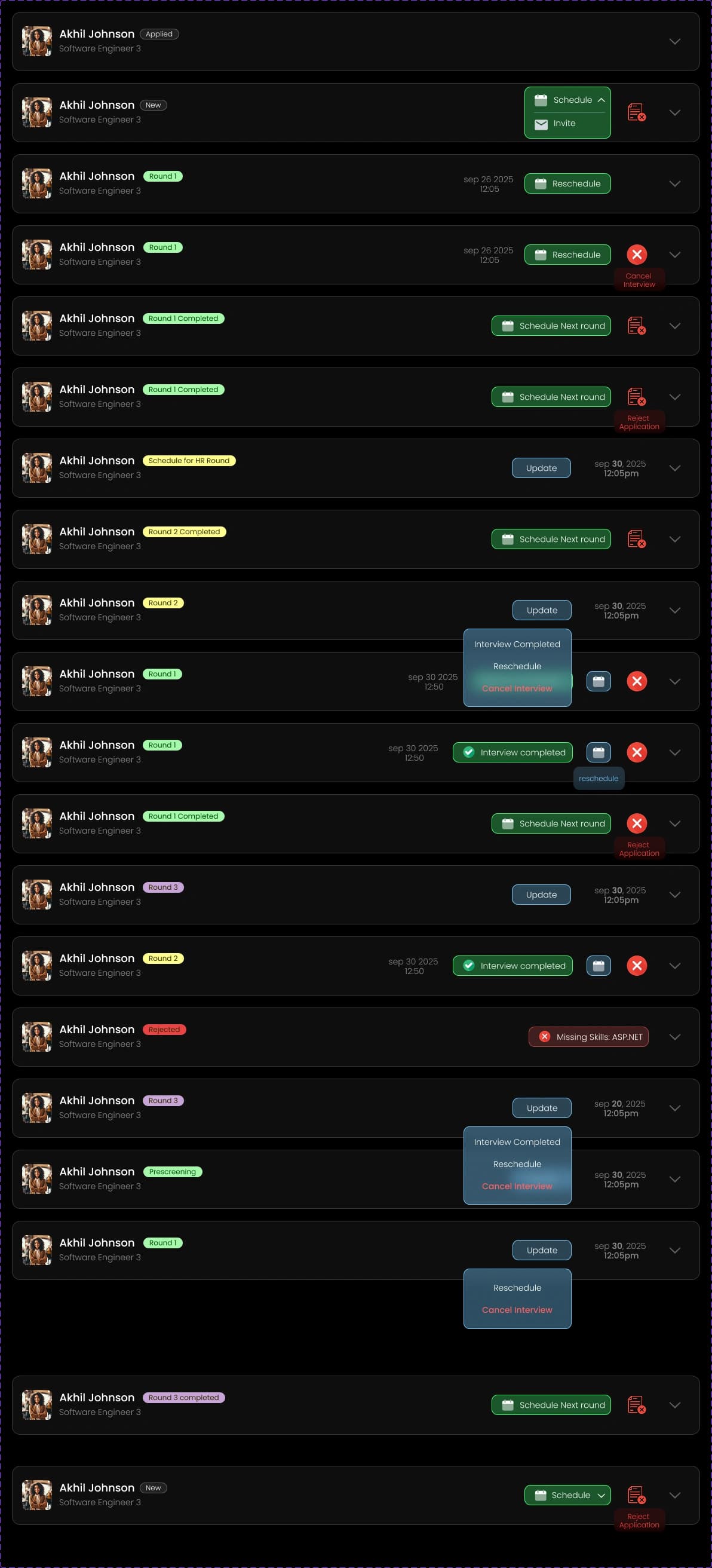
The visual system uses a calm, neutral palette to reduce cognitive strain. Subtle animations reinforce cause-and-effect, especially when AI actions are triggered—helping users build trust.
Final Design Highlights
Focused Dashboard Overview
Key hiring metrics and pipeline status are surfaced first. Users can understand recruitment health within seconds without diving into details.
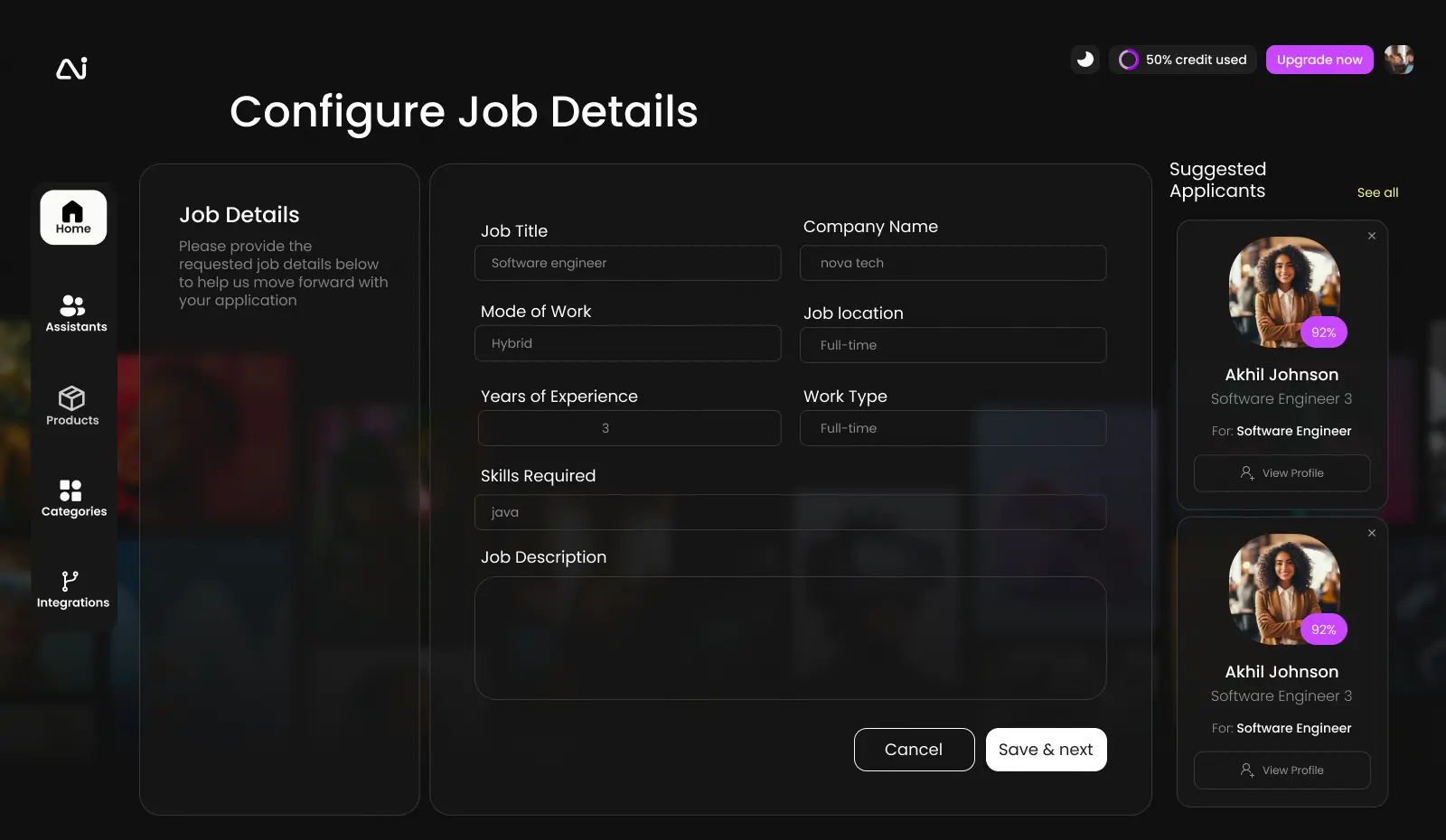
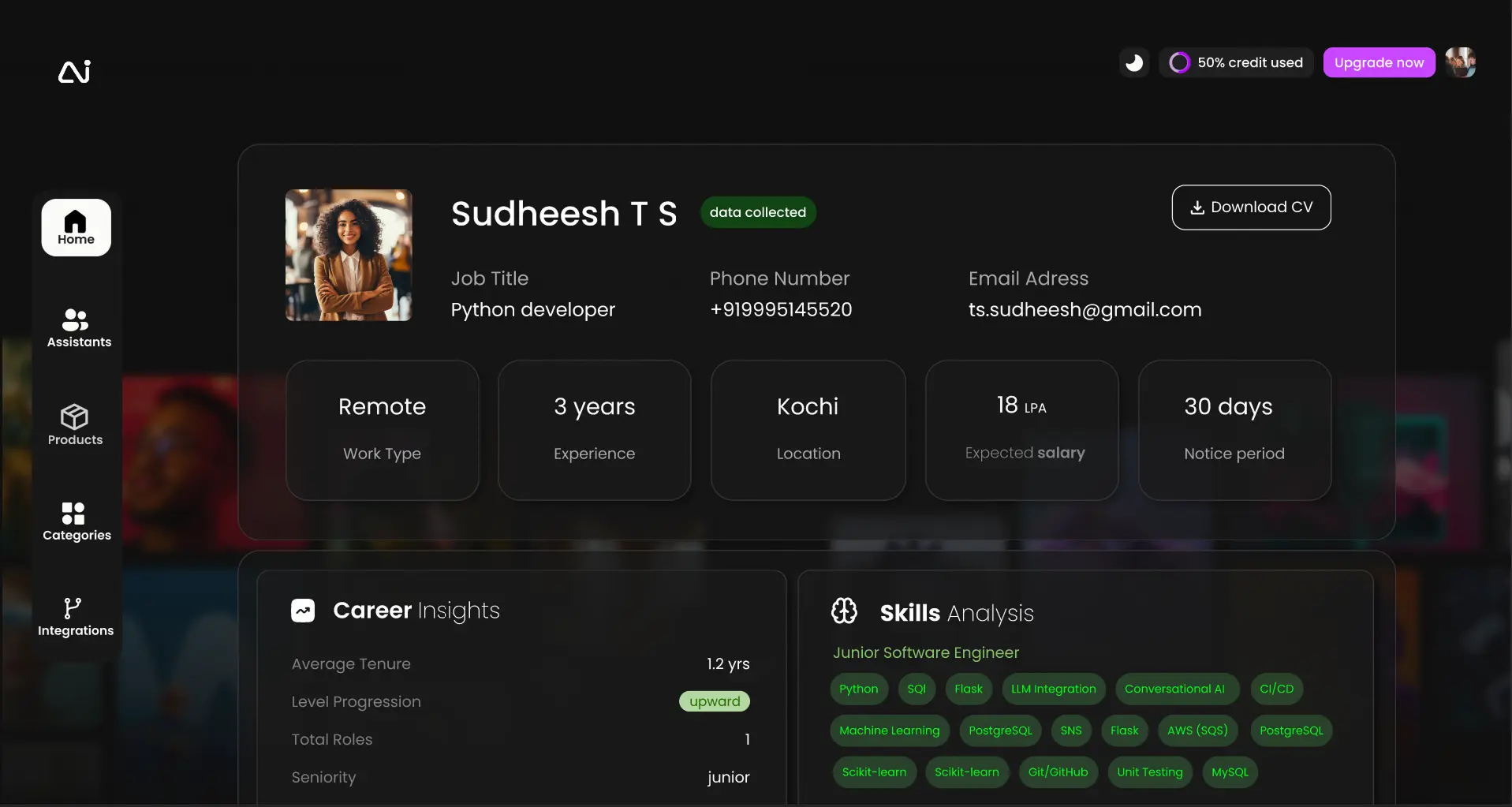
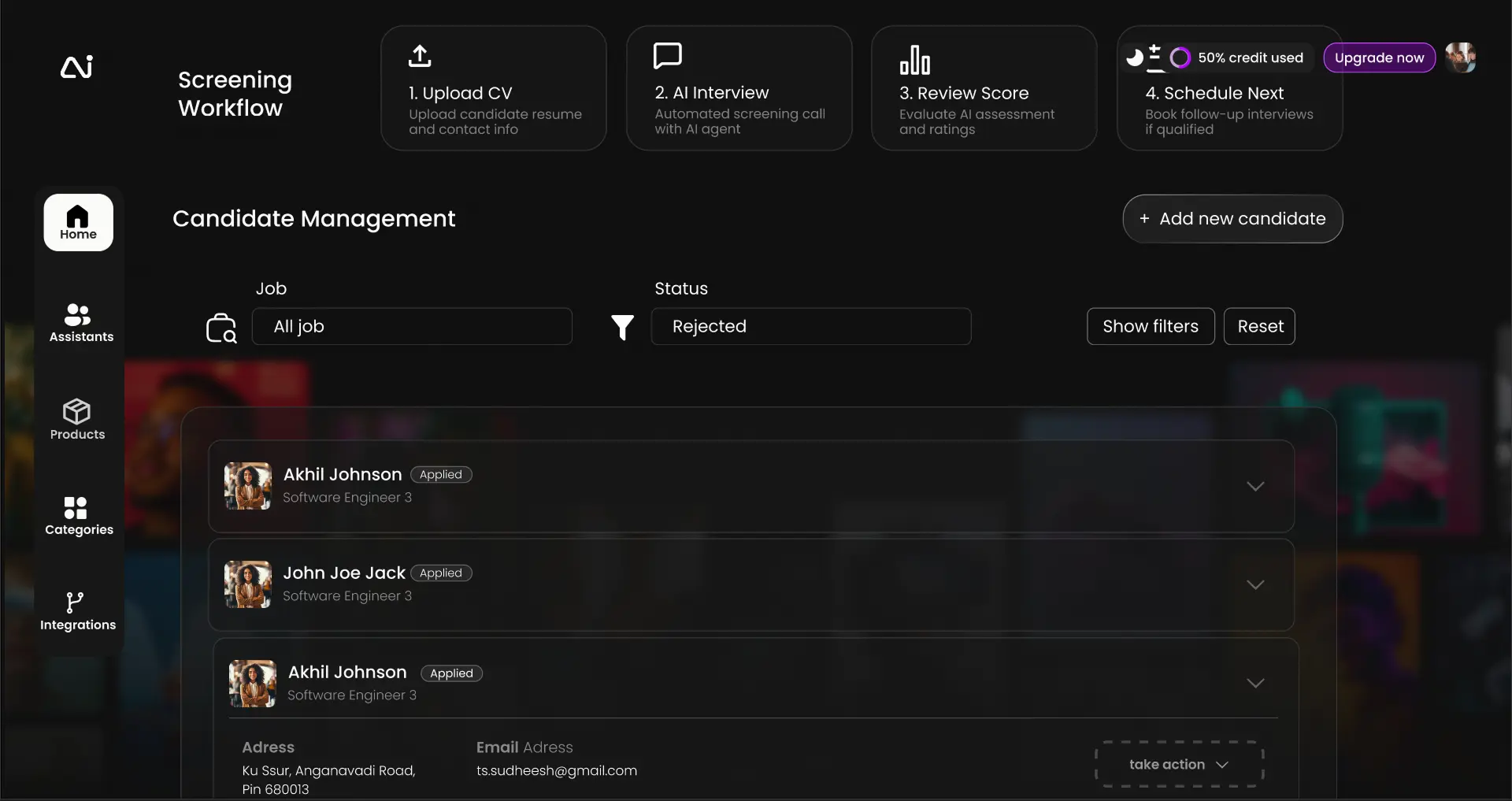
AI-Assisted, Candidate-Centric Navigation
The dashboard is structured around candidates and hiring stages. The AI Chat Assistant remains persistently accessible for summaries and insights at any point.
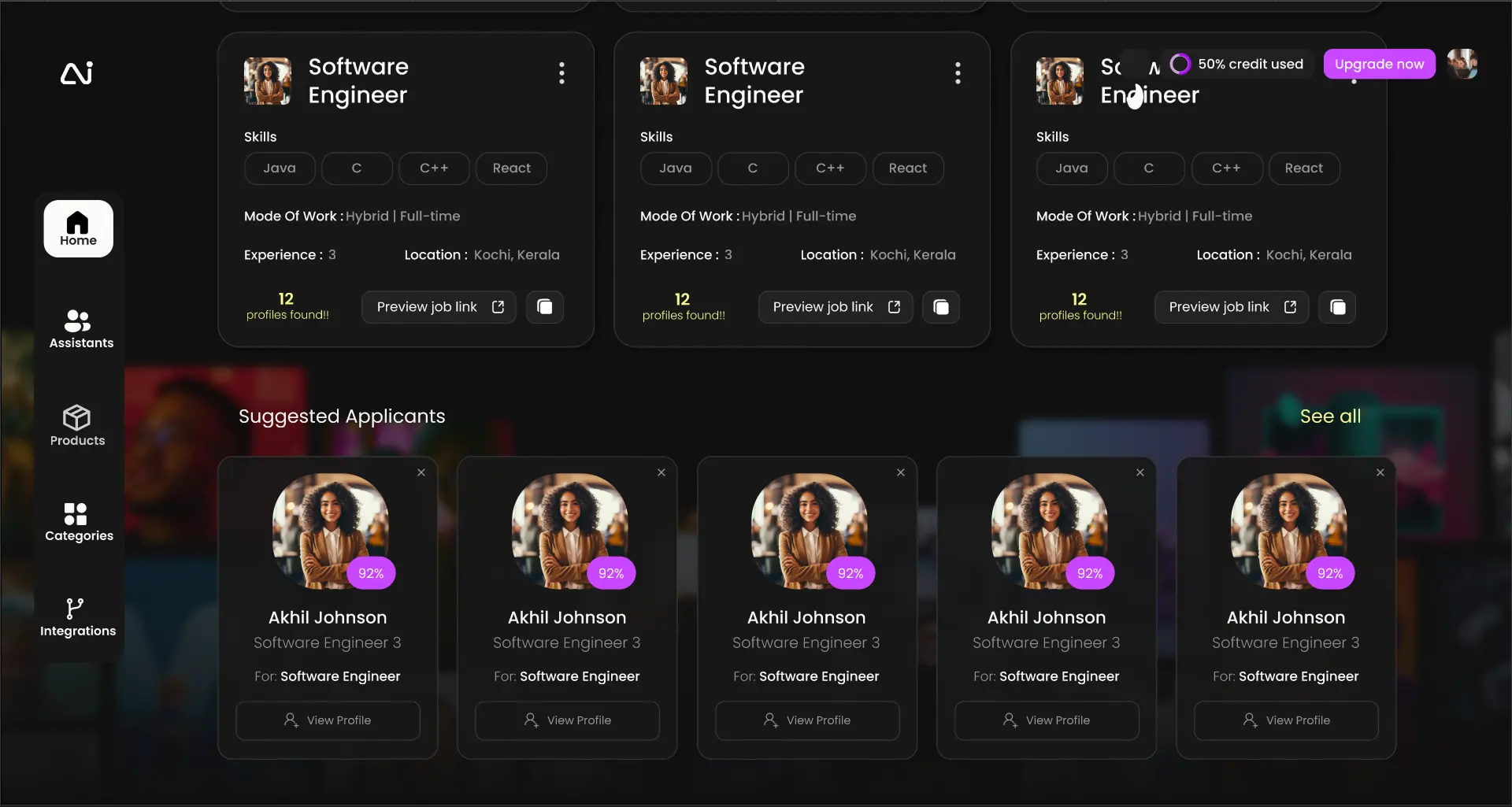
Built for Scale
The layout anticipates growing hiring volume, multiple roles, and future AI capabilities—without overwhelming the user.
Impact
- → Faster and more predictable recruitment workflows
- → Improved adoption of AI-assisted hiring features
- → Reduced cognitive load for recruiters and hiring managers
- → Strong foundation for future AI tools in hiring
Learnings
AI products need extra clarity
When systems feel "intelligent," users need even more transparency, not less.
Structure builds trust
Clear hierarchy and consistent patterns make users confidently use AI tools.
"Reduce complexity, clarify intent, and design for growth."
This redesign transformed the HR Recruitment Assistant from a feature-heavy tool into a cohesive, scalable, and AI-first recruitment platform.